Your Elite Dangerous companion
One app.
Your whole
galaxy.
Trading, exploration, engineering, cockpit control and a co-pilot that knows your ship. Bring your everyday tools together in one fast, native Windows app.
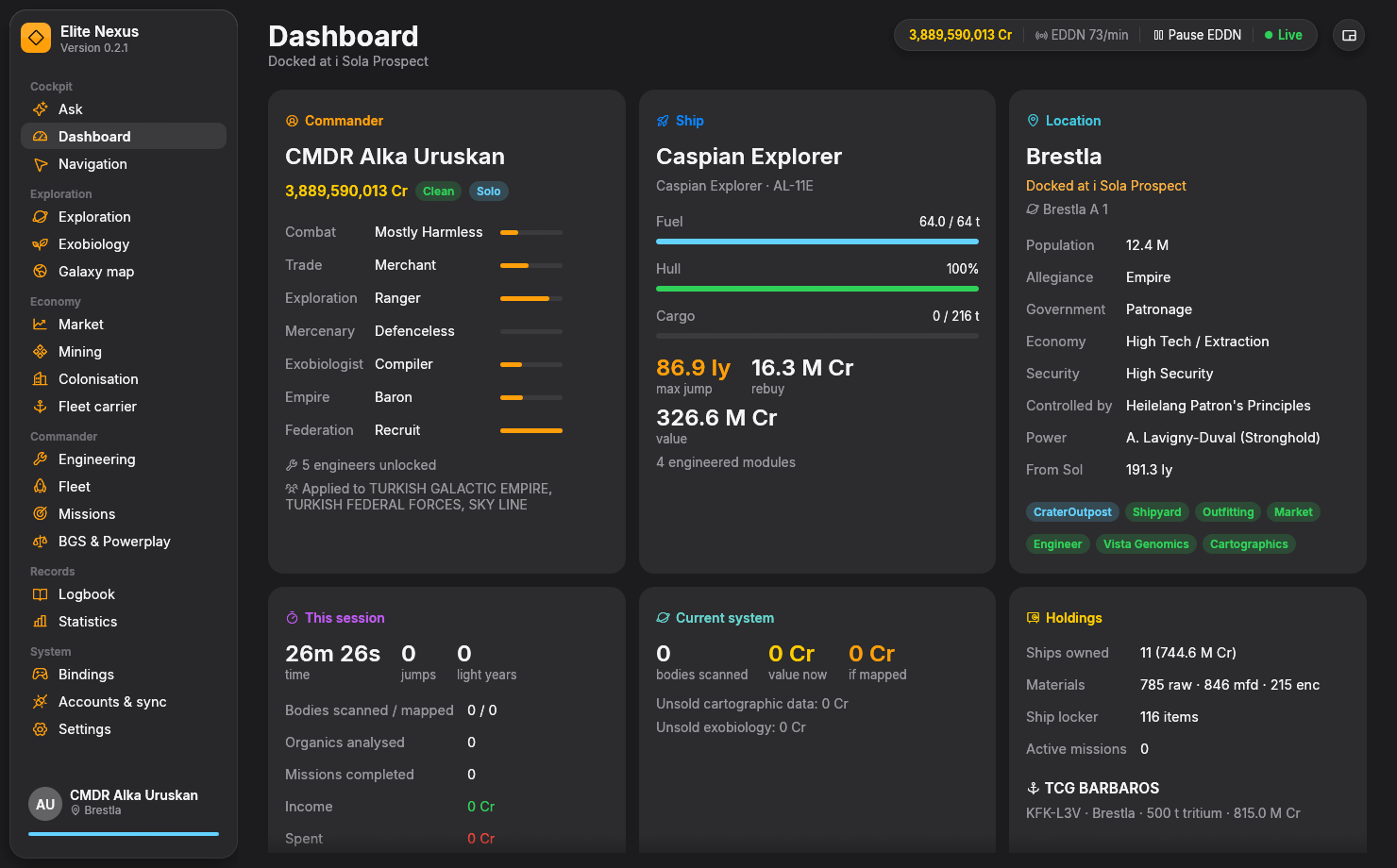
Unzip, launch, connect to your journal.
Native Rust. A responsive, GPU-rendered interface.
No app subscription, ads or Elite Nexus account.
Inside Elite Nexus
A clearer view of your next move.
Real tools, working with your ship and your session. Explore the app below, or open any screenshot to see the details.
01 / THE NEXT PAYDAY
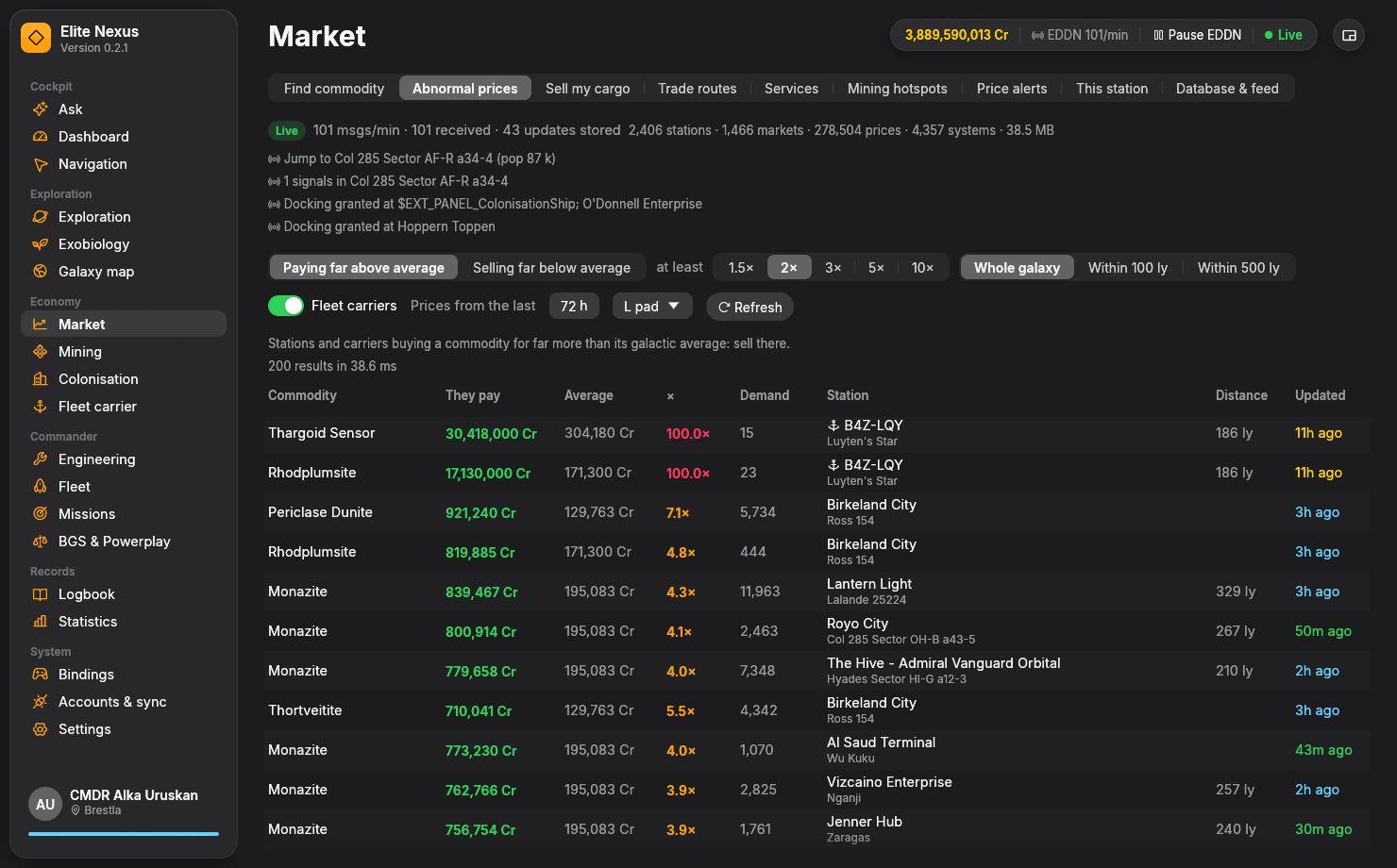
Put your cargo to work.
Find where to buy, where to sell and which route suits your ship. Your local market database keeps receiving new prices from EDDN.
- Sell your whole hold at one stop
- Find unusually high and low prices
- Set commodity price alerts
02 / BEYOND THE BUBBLE
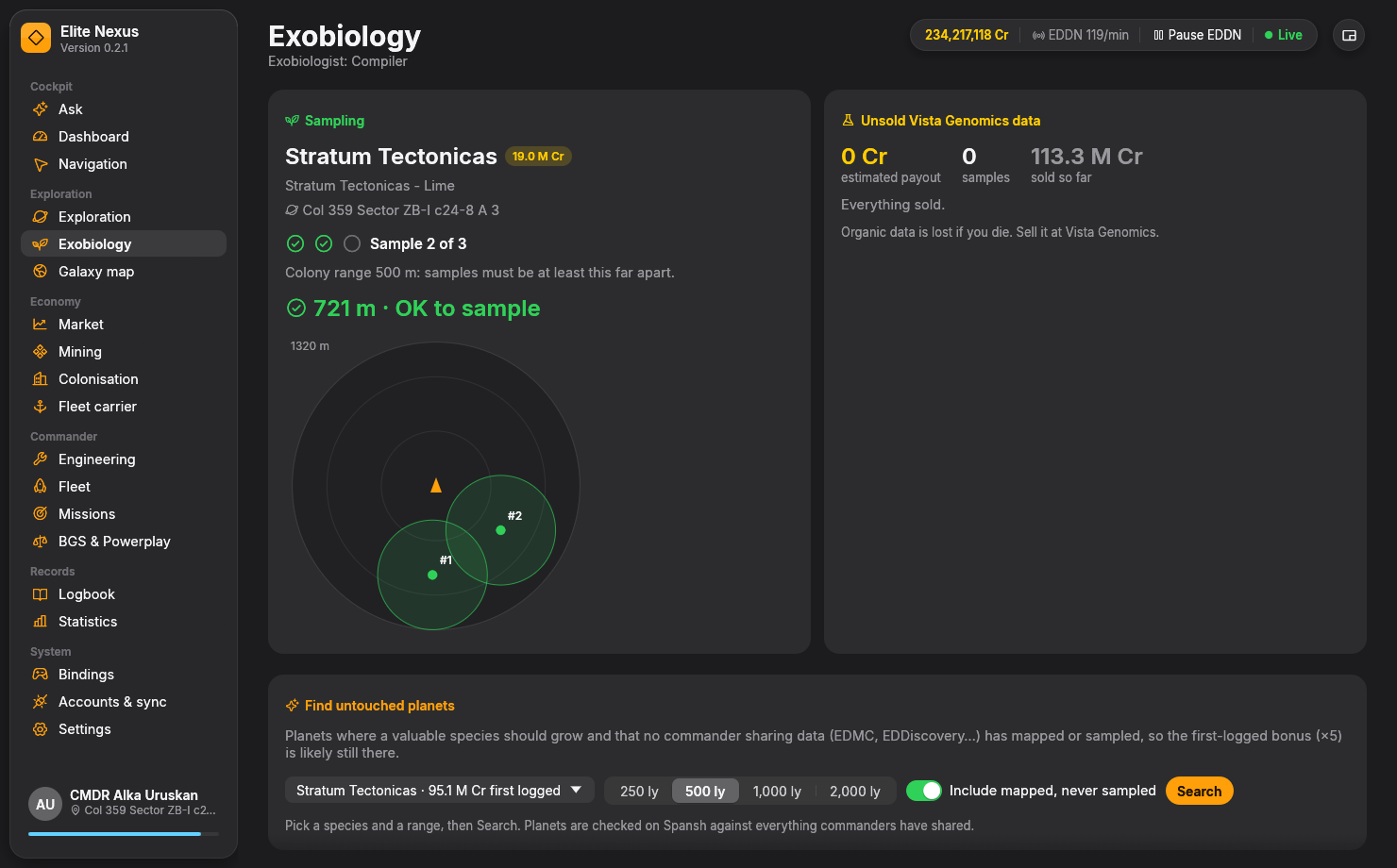
Make every landing count.
Predict what might grow before you land. Follow your sample spacing on the surface, then find promising planets for your next trip.
- Live radar and colony-range circles
- Species predictions and bonus hunts
- Routes to recorded valuable biology
03 / YOUR NEXT BUILD
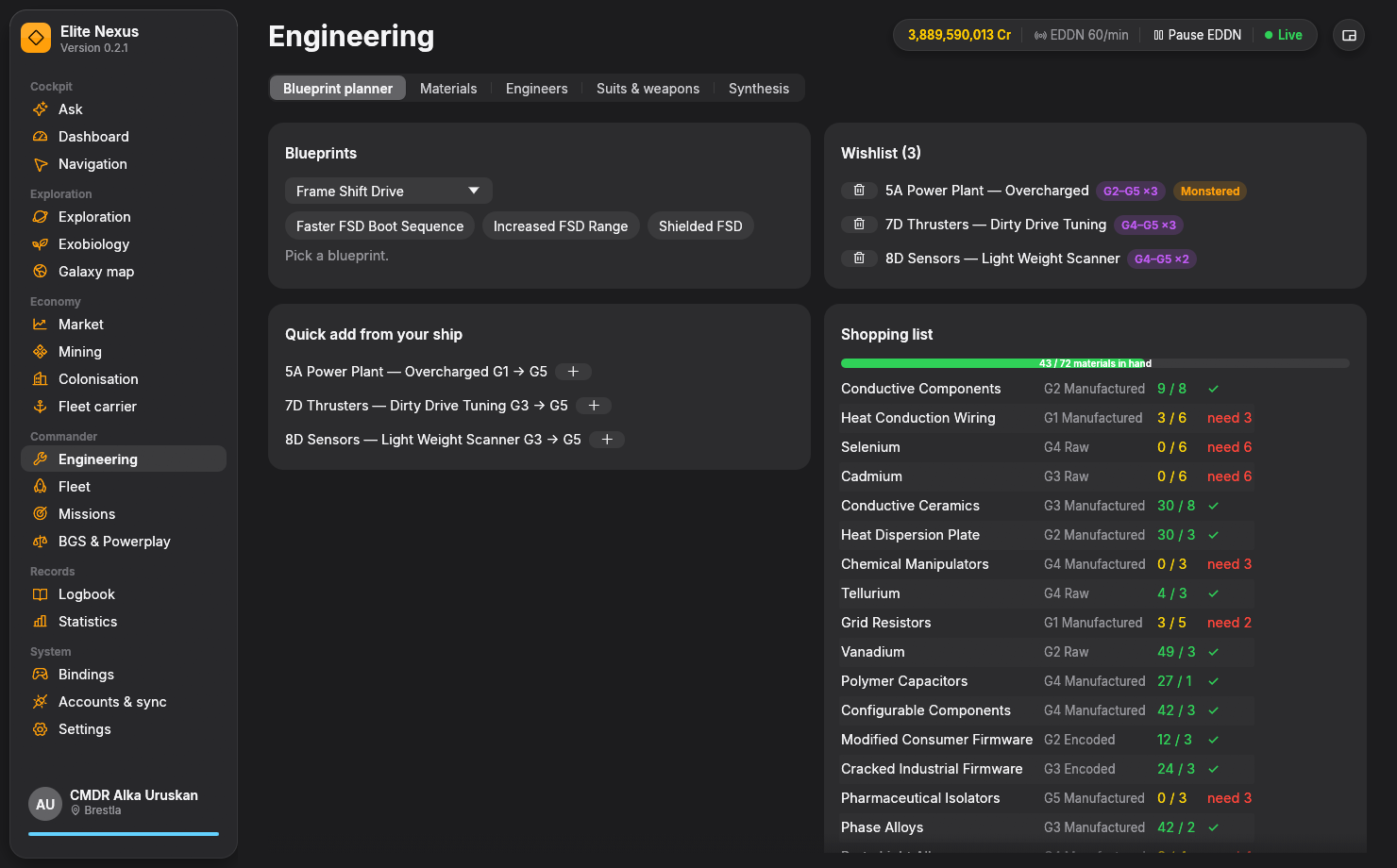
A plan for every upgrade.
Build a blueprint wishlist, see the materials you still need and work out the trades that get you there.
- Blueprints and quick G5 targets
- Material shopping and trader plans
- Ships, suits, weapons and synthesis
04 / A SECOND PAIR OF EYES
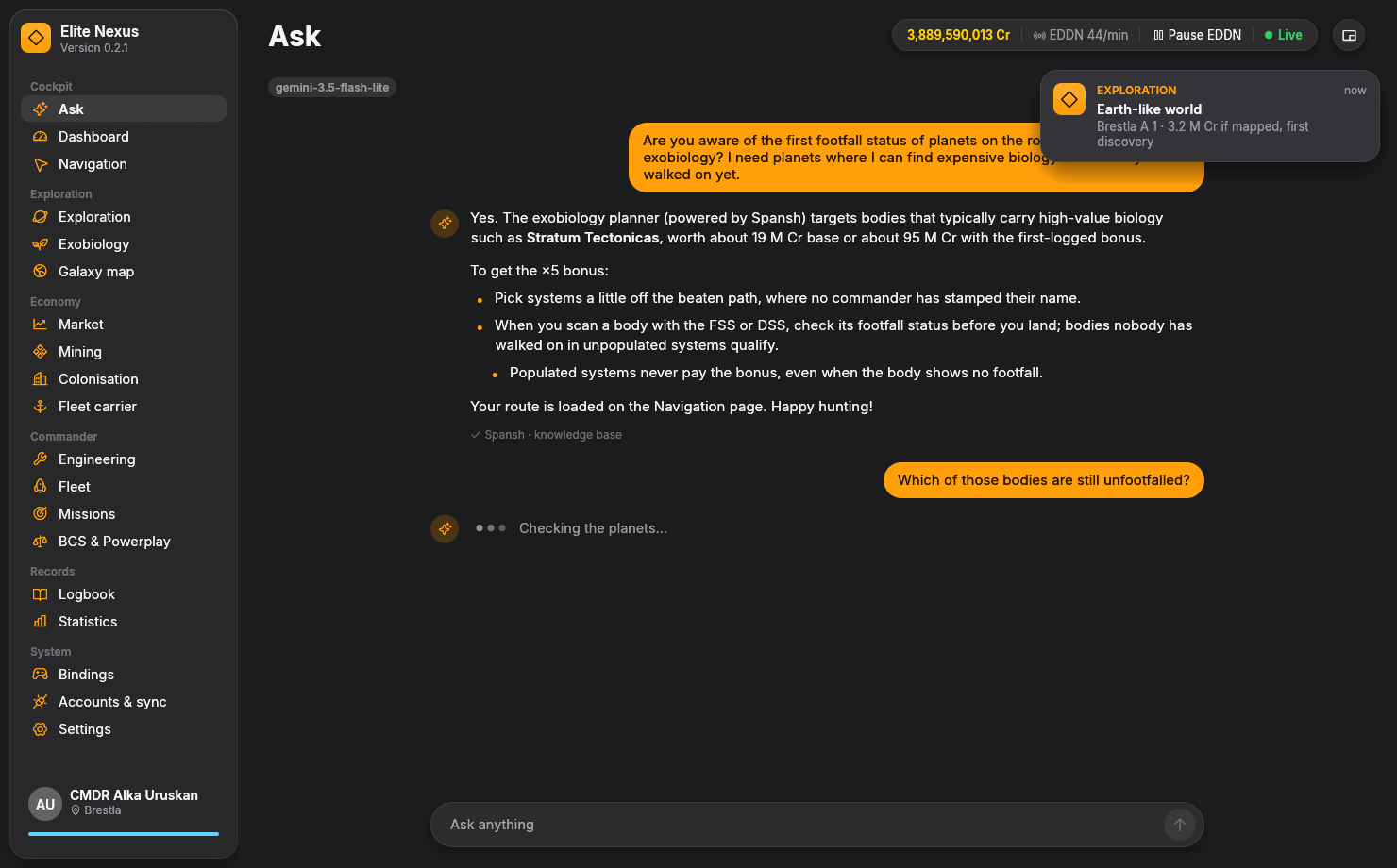
Ask with context.
Ask about your cargo, your ship or your next destination. The co-pilot can query the market and route planners instead of relying on a generic answer.
- Your ship, journal and cargo as context
- Market lookups and route planning
- Gemini, Claude or your local model
One connected toolkit
Whatever you fly for.
Pick a part of your game. See what Elite Nexus does for it, how the tools work together, and what to expect when you launch.
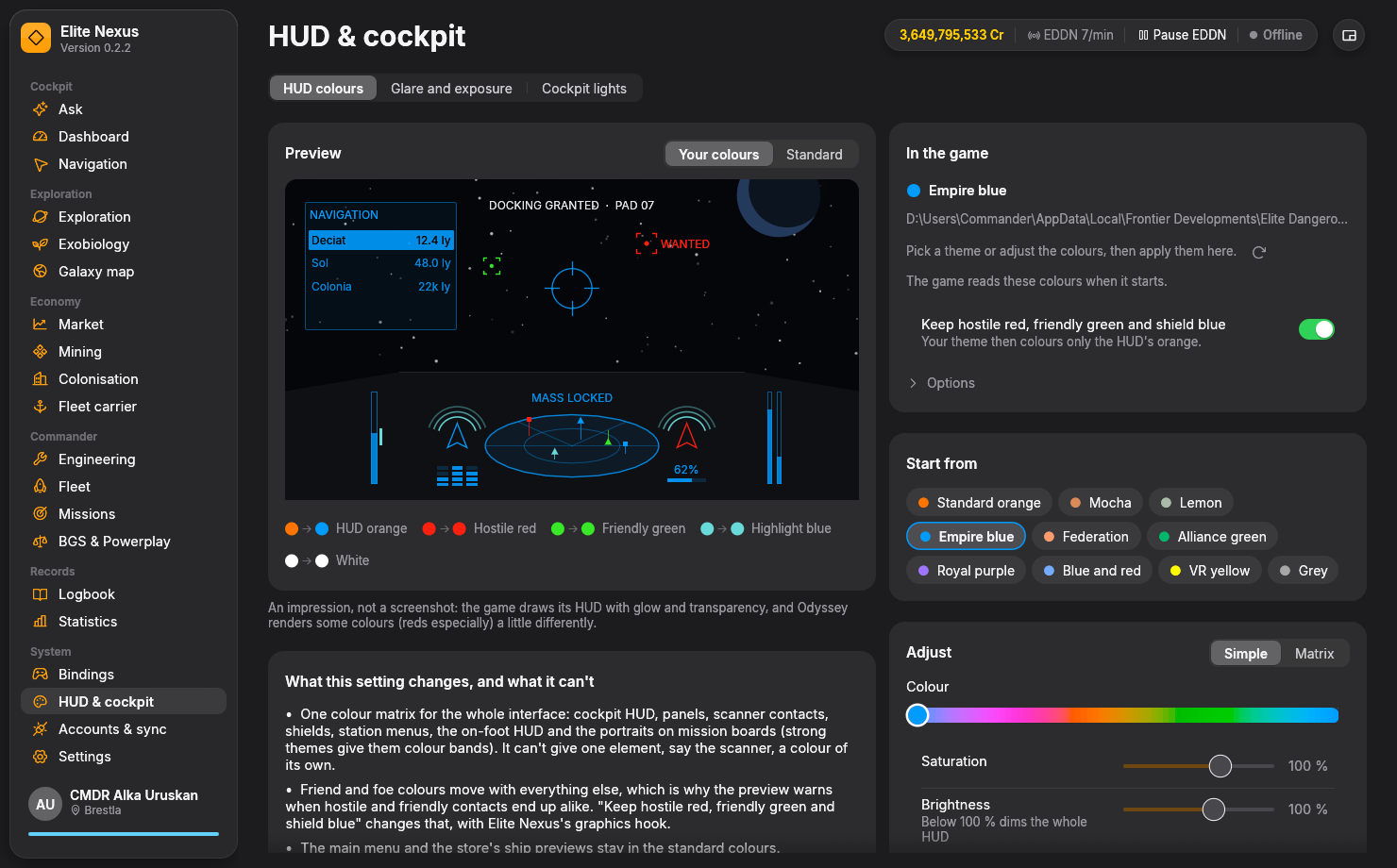
HUD colours
Find your palette, preview it live, and preserve the contact colours you rely on.
02 / SET THE MOODCockpit lights
Dim the cockpit’s own lamps and glow. Adjust their intensity and reach from in-game keys.
03 / SEE THE GALAXYGlare & exposure
Reduce glare from bright lights and lift dark detail with Odyssey’s tone-mapping settings.
04 / FIND YOUR EDGETrading & markets
Cargo sell plans, commodity search, trade routes, abnormal prices, alerts and supply runs.
05 / GO FURTHERExploration & navigation
Know what to scan, plan a neutron route, track unsold discoveries and map your travels.
06 / FIND SOMETHING NEWExobiology
Species predictions, a live sampling radar, first-logged bonus hunting and valuable biology tours.
07 / BUILD YOUR COMMANDFleet & engineering
Your ships, loadouts, upgrade wishlist, material trades, carrier, missions and faction activity.
08 / FLY WITH CONTEXTAI & everyday tools
A grounded co-pilot, spoken alerts, compact HUD, searchable history and opt-in community sync.
09 / BRING IT TOGETHERWhy Elite Nexus?
Follow the connected workflows behind the idea: one commander, one place to plan the next move.
Your ship. Your atmosphere.
Make the cockpit feel like yours.
Change the HUD palette. Turn down the cockpit lights. Take control of glare and exposure. Three dedicated tools, each with a different job.
The full flight kit
The details make the difference.
Every major tool has a place. Jump straight to the part you need.
Explore & discover
Trade & supply
Build & command
Made to keep up.
A Rust app with a GPU-rendered interface and a local market database. Your ship, journal and session stay close at hand while you play.
Share on your terms.
Your journals are read-only. Community uploads are opt-in and share live events, never a backfill of your history. Cloud AI is a separate, optional connection.
Understand your dataA tool you can make your own.
Free software under GPL-3.0. Read the code, report an issue or help shape what comes next. No ads or Elite Nexus subscription.
Explore the sourceYour next session, upgraded
Ready for launch.
One portable Windows app. Everything you need to start is in the release download.
Windows 10/11 · 64-bit · Elite Dangerous PC journalsRead the release notesDownload & unzip
Get the Windows ZIP from the latest GitHub release. Extract it to a folder of your choice.
Launch EliteNexus.exe
The app finds the game’s journal folder and loads your commander. No installer is needed.
Fly your way
Explore the tools. Configure optional sync, AI and cockpit settings when you want to use them.
Before you launch
A few useful answers.
Is Elite Nexus free?
Yes. Elite Nexus is free and open source under GPL-3.0, with no ads or app subscription. The optional AI co-pilot uses a provider you configure; cloud providers may have their own usage limits or charges. You can also connect a local model.
Do I need AI to use the app?
No. Trading, exploration, engineering, exobiology, navigation and cockpit tools have their own dedicated interfaces. The AI co-pilot is an additional way to ask questions and use supported tools.
Which platforms and game versions work?
Elite Nexus runs on 64-bit Windows 10 and 11 and reads the journal files produced by the PC game. It supports Horizons and Odyssey data; activities such as exobiology and on-foot equipment require Odyssey. There is no console, macOS or Linux build.
What changes in my game?
Journal tracking only reads the files the game writes. HUD colours and glare settings are applied when you choose. Cockpit-light dimming and contact-colour protection use an optional graphics hook, with installation and removal controls. Read the cockpit setup details before enabling it.
Can I keep using my other tools?
You choose your own setup. Elite Nexus reads the game’s journal files and offers opt-in community sync, so check which app is uploading for you. Its optional graphics hook cannot run alongside EDHM or another 3Dmigoto mod. See how the workflows fit together.