Neutron routes
Plan travel through neutron stars using your jump range, with routing efficiency available in the options.
Exploration & navigation
See the value in the system around you, choose the next worlds to scan and follow the journey without losing track of your discoveries. Exploration, travel planning and your galaxy map work together.
Download for Windows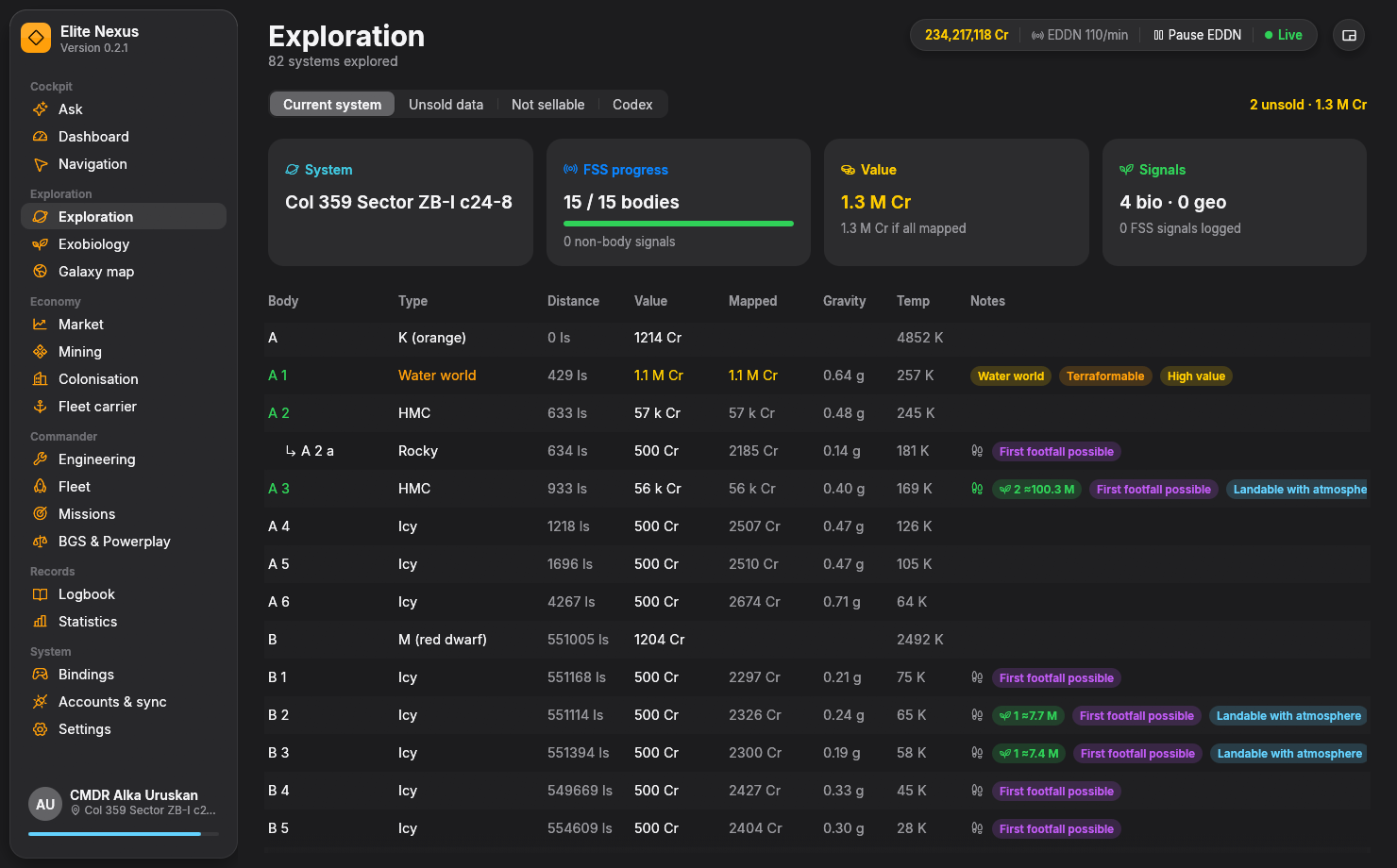
Read the system at a glance
As you scan, Elite Nexus builds a tree of stars, planets and moons. Current scan value and potential mapped value sit side by side, with valuable discoveries highlighted.
Open a body to inspect materials, rings and hotspots, biological signals, and discovery and footfall information from your journal. Earth-like worlds, water worlds, ammonia worlds and terraformables are easy to pick out.
Choose whether a long flight to a planet is worth the additional mapping value before you leave the arrival star. The Codex view keeps your recorded discoveries within reach, too.
Optional spoken alerts announce valuable bodies and biological signals while you fly. Unsurveyed and populated systems are explained in the page, so missing scans are not presented as a system worth zero.
Explore voice alerts & the compact HUDFind valuable bodies
Plan a tour of Earth-likes, water and ammonia worlds, and terraformables with the built-in Spansh Road to Riches planner.
Rank by the FSS scan alone or the value after DSS mapping. Set the minimum value, arrival distance and search area to suit the time you want to spend.
See the systems, target bodies and estimated values before committing. The planner supports searches up to 1,000 ly and 2,000 stops.
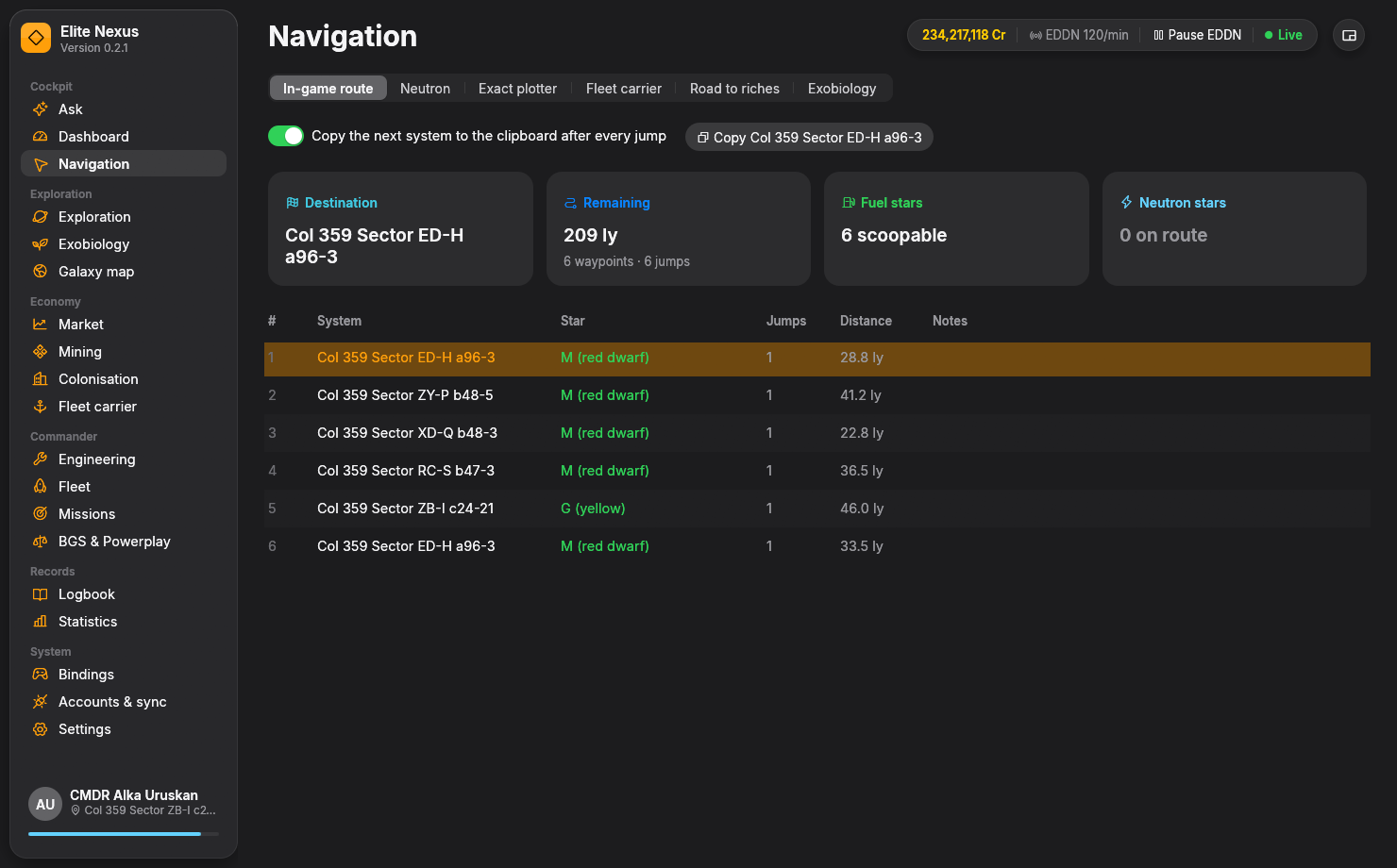
Send the tour to Navigation, where stops advance as you arrive and the next system can be copied to your clipboard automatically.
Spansh excludes populated systems from these tours. Elite Nexus widens an empty search in stages, up to 1,000 ly, and tells you when it has done so.
Navigation
Your in-game route, Spansh travel plans and exploration or exobiology tours come together in Navigation. See star classes, scoopable stops, neutron and white-dwarf hazards, and the longest stretch without a scoopable star.
Plan travel through neutron stars using your jump range, with routing efficiency available in the options.
Plan each jump using your ship's FSD, mass, fuel and cargo. Adjust the routing strategy, neutron boosts, injections and refuelling choices.
Plan carrier travel with its tritium and cargo in view, then review the jumps, route distance and tritium requirement.
Your galaxy map
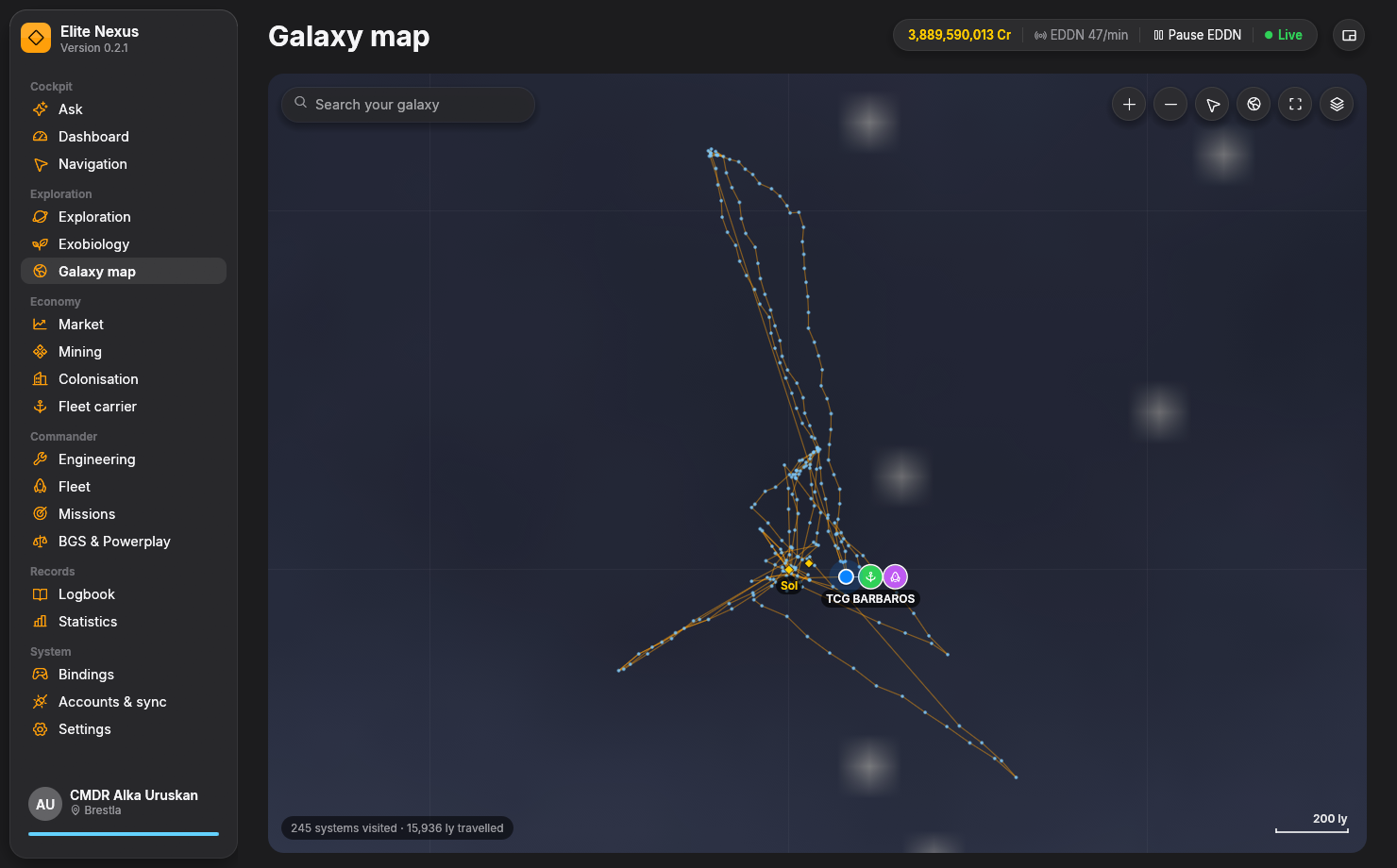
Explore the Milky Way with your visited systems, travel path, active route, fleet carrier, parked ships and landmarks on the same map.
Pan and zoom, switch layers, fit all your travels into view or return to your current position. Search a visited system or a landmark such as Colonia, Sagittarius A* or Beagle Point.
Select a system to see its distance, copy its name or open Navigation with it as your destination.
Bring the discoveries home
Unsold data totals your cartographic discoveries, with current and mapped values by system. History keeps the wider record: what you scanned, what sold and when, and what happened to the rest.
Filter systems by sold, unsold, not sellable or lost data. Scans Universal Cartographics left out of a sale and data lost with your ship are identified separately, so they do not quietly inflate your unsold total.
Biological signals can turn a scanning trip into a surface expedition. Move to Exobiology for species predictions, sampling distance guidance and routes to promising planets.
Explore the exobiology toolsKeep exploring
Ready when you are
Free and open source. Windows 10/11, 64-bit. Unzip and fly.