Find the right engineer
Engineers appear unlocked first, then by distance, so your available options are easy to find.
Commander tools
The next upgrade, the next mission stack, the next construction delivery. Bring your ships, materials and commitments together, with the details ready when you need them.
Download for Windows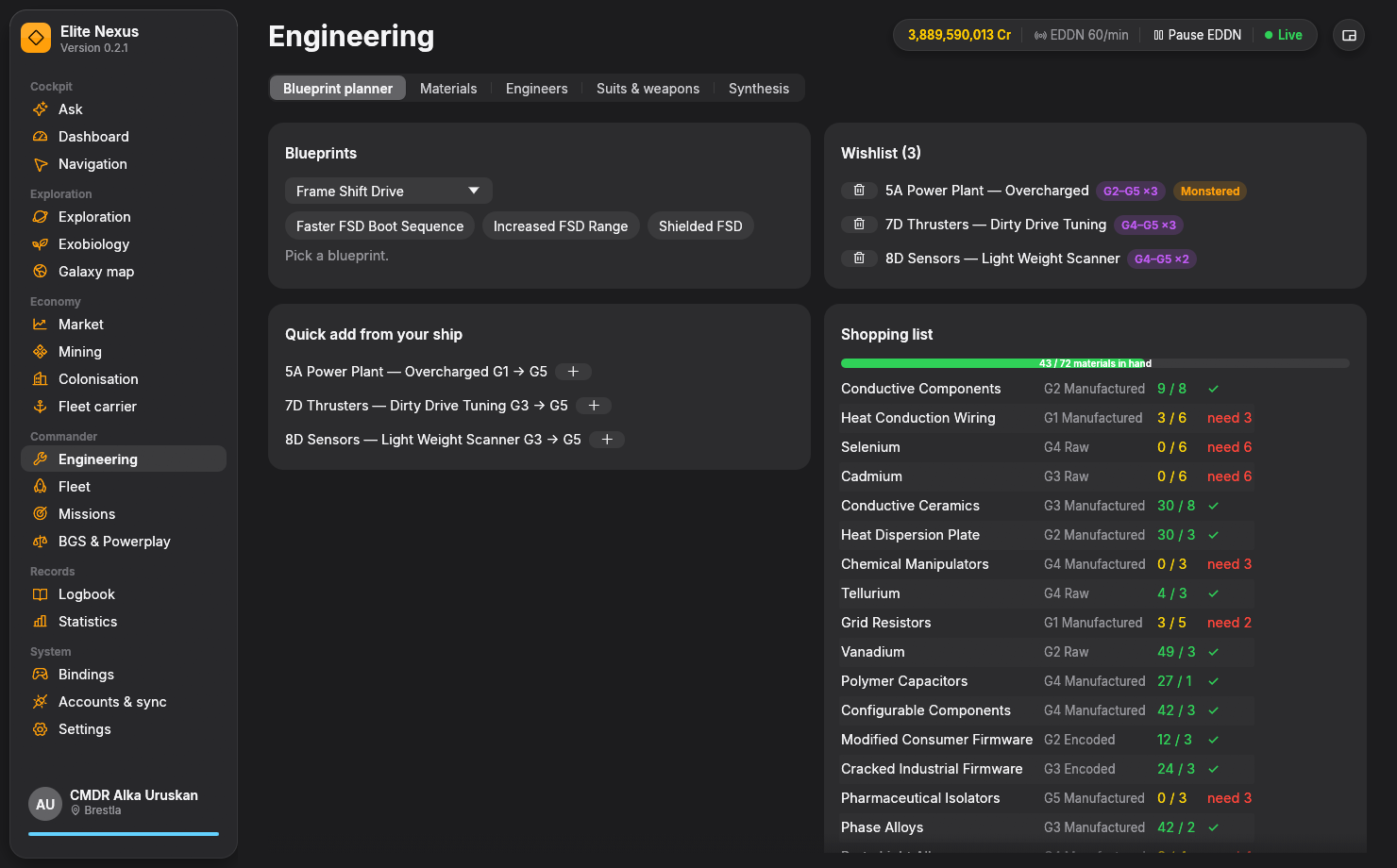
Engineering
Start with a specific blueprint or add an upgrade to Grade 5 from your current ship. Elite Nexus collects the material requirements in one place.
Add the blueprints you want, or use the ship's quick action to plan an upgrade to G5.
Combine the requirements across your plans and check them against your material inventory.
The material trader plan shows what to exchange and which kind of trader you need.
Engineers appear unlocked first, then by distance, so your available options are easy to find.
The engineering pages also cover Odyssey suits and weapons, synthesis, materials and your ship locker.
Ships & fleet carrier
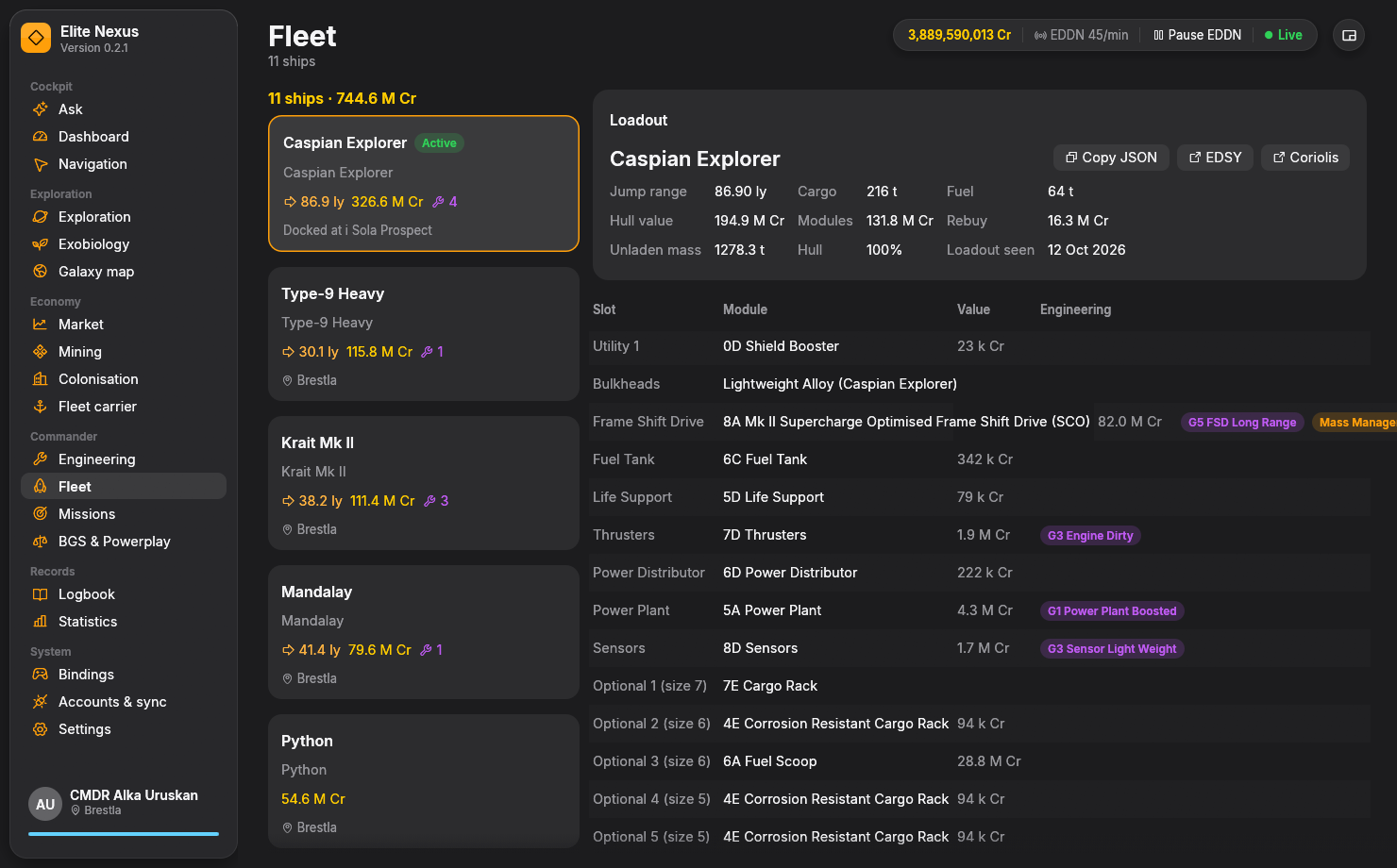
Your fleet view brings together parked ships, transfers, loadouts and engineering, while the carrier page follows the larger operation.
Open a ship to see its modules, engineering and modifier changes. Send that loadout to EDSY or Coriolis when you want to work on a build there.
Track tritium, finances, capacity, crew, services and orders. The jump schedule, countdown and history keep its movements visible.
These views follow the state reported by the game. Carrier controls and ship changes remain in Elite Dangerous.
Missions & influence
Keep mission progress and faction activity alongside the ship you are flying.
Follow active missions, expiry times, cargo deliveries and kill progress. The massacre stack view accounts for kills once per issuing faction, showing the remaining kills across the stack.
See what you did for each faction, including a view since the last tick. Set the tick hour used by your group; fleet carrier transactions are excluded from BGS activity.
Colonisation
Construction depots show the tonnage still required for every commodity and how much is already in your hold.
See outstanding requirements at the construction site, commodity by commodity.
Compare the requirements with your current hold before planning another purchase.
Use Where to buy for nearby stations with enough recorded stock for a full hold, measured from the construction site. Check the market record before you travel.
Controls
Inspect your active control presets and turn a long bindings list into a reference you can use.
Search your bindings, see the active presets for each category, and review conflicts and missing essentials.
Create a printable reference card for your controls. It opens as an HTML page, ready to print or keep nearby.
Add voice alerts and the compact HUD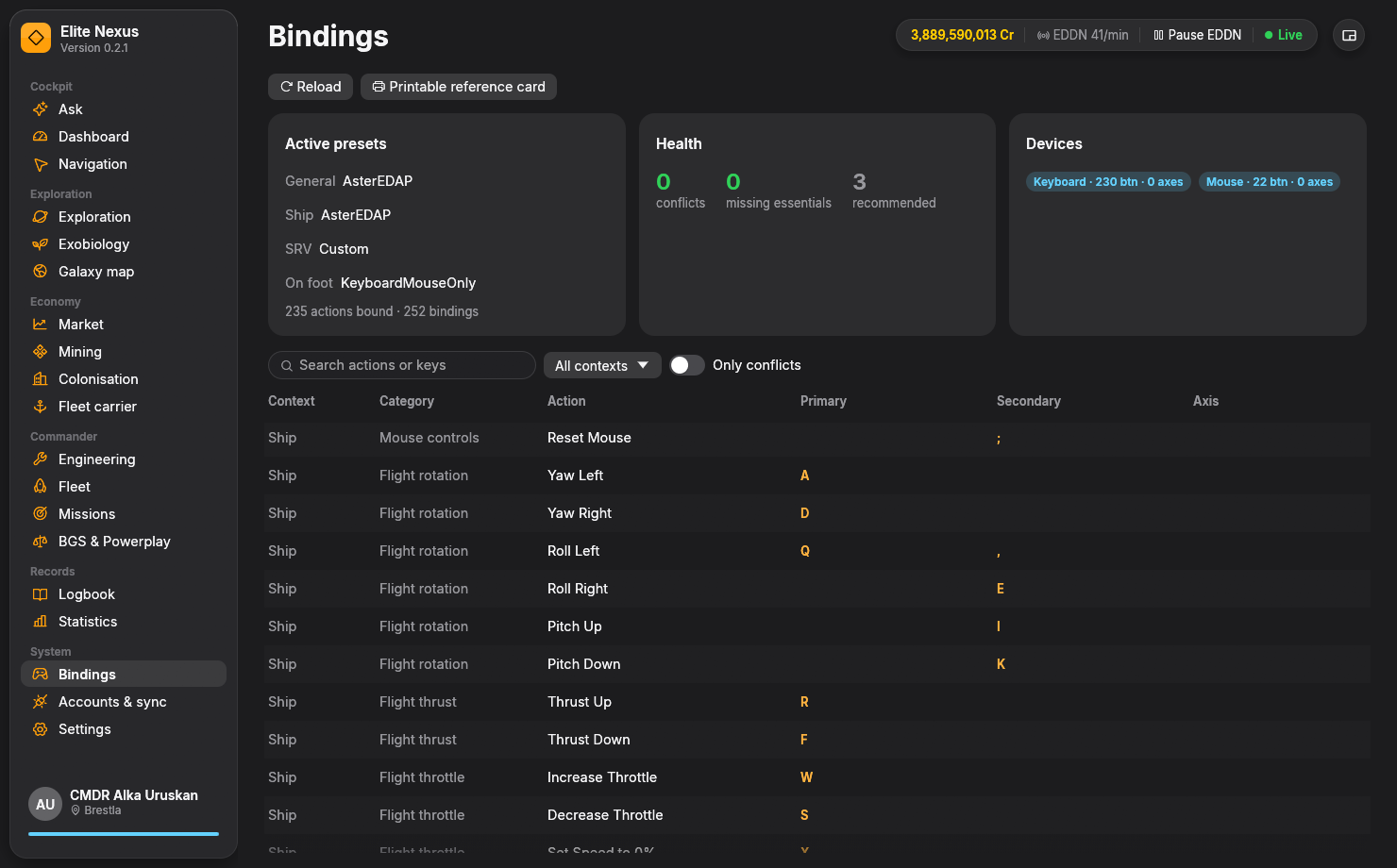
Keep exploring
Ready when you are
Free and open source. Windows 10/11, 64-bit. Unzip and fly.