Make the cockpit yours
HUD colours, cockpit-light dimming and glare and exposure each have their own controls and explanations.
Why one companion
An evening in Elite can move from a material trader to a mission stack to an unexplored system. Elite Nexus puts those everyday jobs in one Windows app, with your current ship and location close at hand.
Download for Windows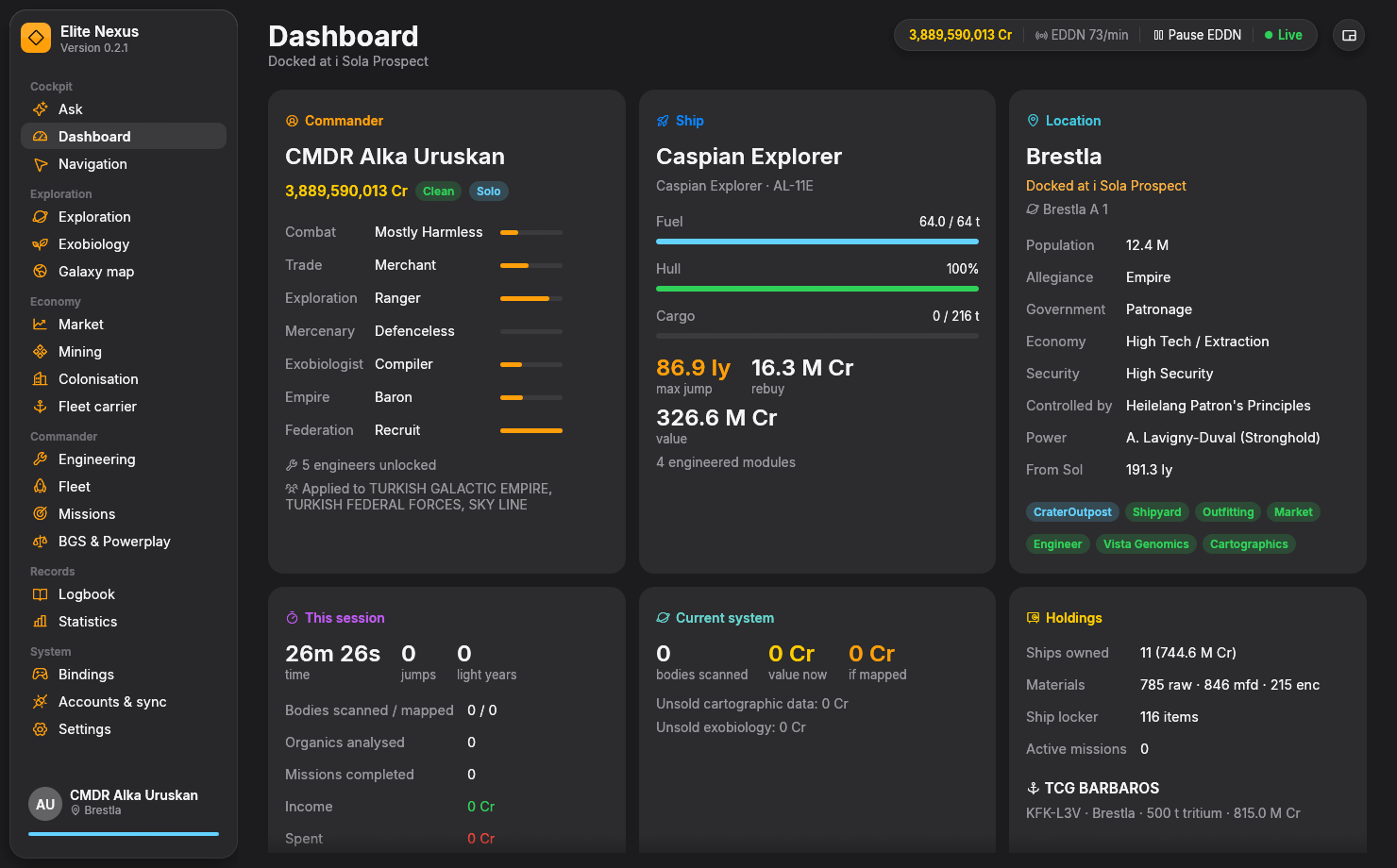
Connected workflows
The value of one companion is in the handoffs: a promising planet becomes a route, a cargo hold becomes a market search, and a ship becomes an engineering plan.
Search for valuable bodies or biology, ask the co-pilot for a trip, or use a Spansh planner. Planned routes arrive on Navigation.
See the next star, fuel stops and route hazards. With copying enabled, the next system name is ready on the clipboard after each jump.
Follow scan values and sampling progress, then return to exploration history, the logbook, statistics and your travel map.
What it brings together
Use a few tools every session or explore the full set as your plans change.
HUD colours, cockpit-light dimming and glare and exposure each have their own controls and explanations.
Scan values, history and navigation connect with species predictions, planet searches and the sampling radar.
Market searches, cargo sales, trade routes and mining tools use your ship and the available market records. Colonisation adds supply planning around a depot.
Engineering plans, ships, carriers and missions share space with materials, BGS and Powerplay activity, colonisation and control bindings.
The dashboard, voice alerts and compact HUD follow the session. The logbook and statistics keep its details accessible later.
The optional AI co-pilot queries app tools. Opt-in community sync lets you choose which services receive live events.
A practical fit
Elite Nexus is a native Rust app for Windows 10 and 11, distributed as one executable in a ZIP. Unzip it, run it and let it read the journals written by the PC game.
There is no installer, browser engine or separate language runtime to set up. The app is free and open source under GPL-3.0-or-later. Optional cloud AI uses your own provider account.
The feature pages describe the scope of each workflow. Keep using a specialist tool or website for the parts of your setup you prefer there; Elite Nexus also opens ship builds in EDSY and Coriolis.
Elite Nexus is for Windows and the PC game's journal files. Its compact HUD is a separate always-on-top window. The optional graphics hook used for cockpit dimming and HUD colour protection cannot run alongside EDHM or another 3Dmigoto mod; the relevant feature pages explain the installation.
Built on community work
Elite's community services make these workflows possible. Elite Nexus brings their data and capabilities into the app while keeping their sources and limitations visible.
EDDN supplies shared live market records; Spansh provides planners and searchable galaxy data. EDSM, EDAstro, Inara and EDCD's data are part of the wider ecosystem the app integrates with. Availability, record age, coverage and service approval still matter.
The README lists the current feature set. The user guide explains how the pages work, and the source repository is open to inspect.
Compare with EDDiscovery, EDMC, Odyssey Materials Helper, Observatory and EDHM
Keep exploring
Ready when you are
Free and open source. Windows 10/11, 64-bit. Unzip and fly.