Your Elite Dangerous companion
One app.
Your whole
galaxy.
Trading, exploration, exobiology, engineering, your fleet and carrier, HUD colours, cockpit lights and a co-pilot that knows your ship: one fast native app for Windows, Linux and macOS instead of a pile of tools and browser tabs.
What’s inside
Every page has one job.
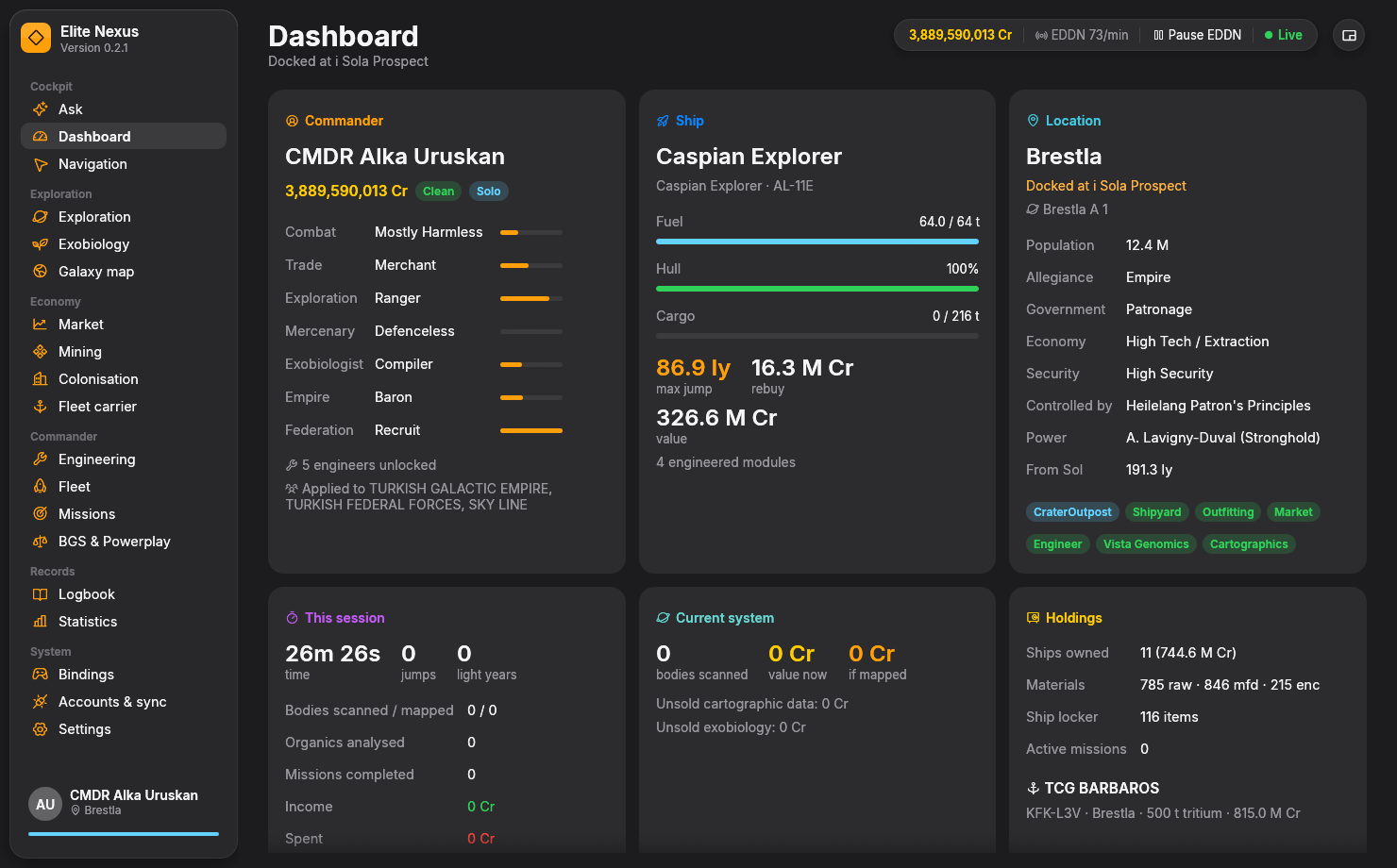
Each page shows the one thing you usually need, with your current system, ship and landing pad as defaults, and keeps the advanced settings close at hand. Pick a part of your game.
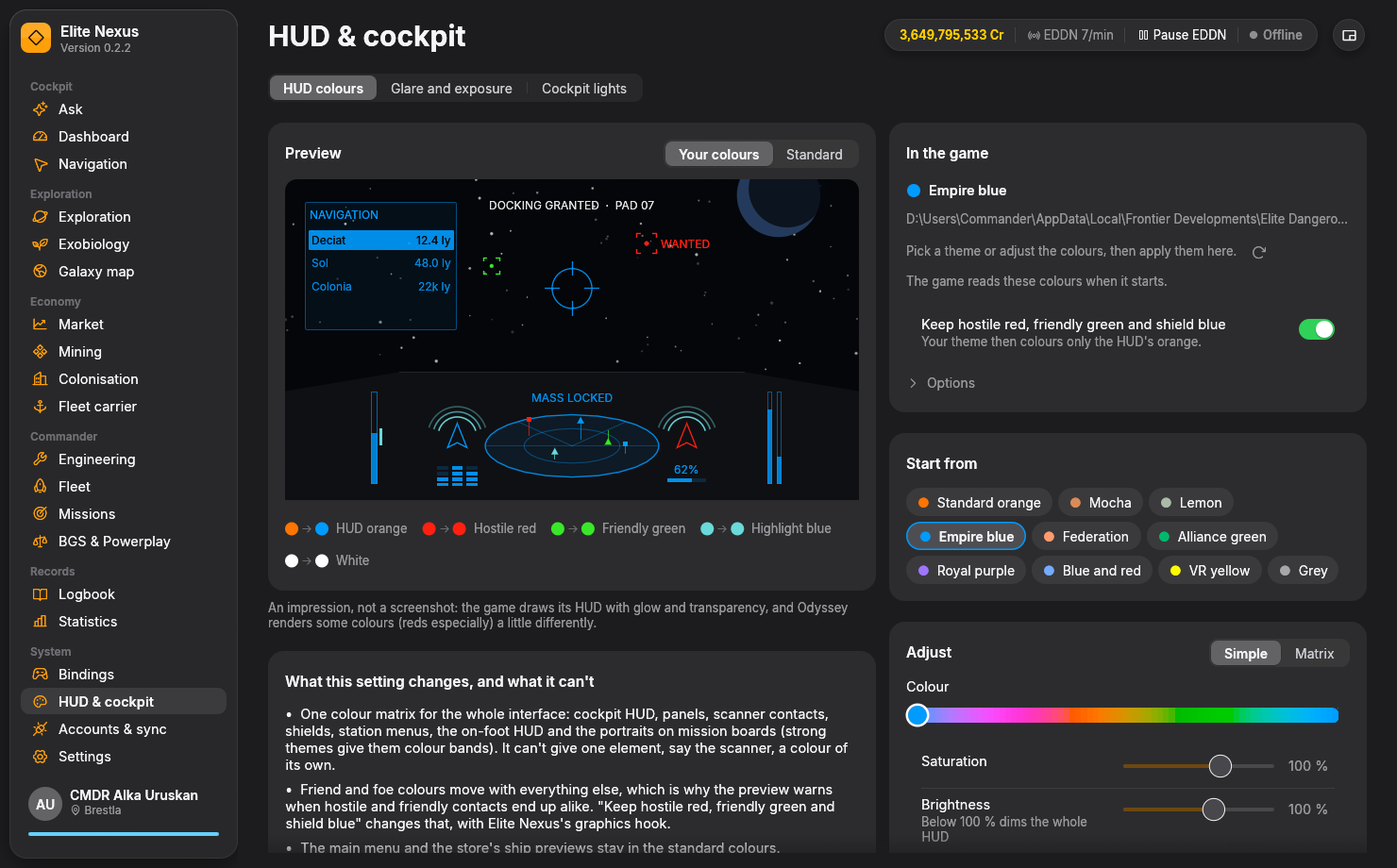
HUD colours
A theme editor on the game’s own colour setting, with credited community themes and a live cockpit preview. Keep hostile red, friendly green and shield blue out of the theme.
02Cockpit lights
The game has no setting for them. Dim the cockpit’s own lamps and glow, and nothing else, with in-game keys for on/off, how much light stays and reach.
03Glare & exposure
Odyssey’s auto-exposure darkens everything outside when the dashboard is bright. Tame the glare and lift the darks with the game’s own tone-mapping values.
04Trading, mining & colonisation
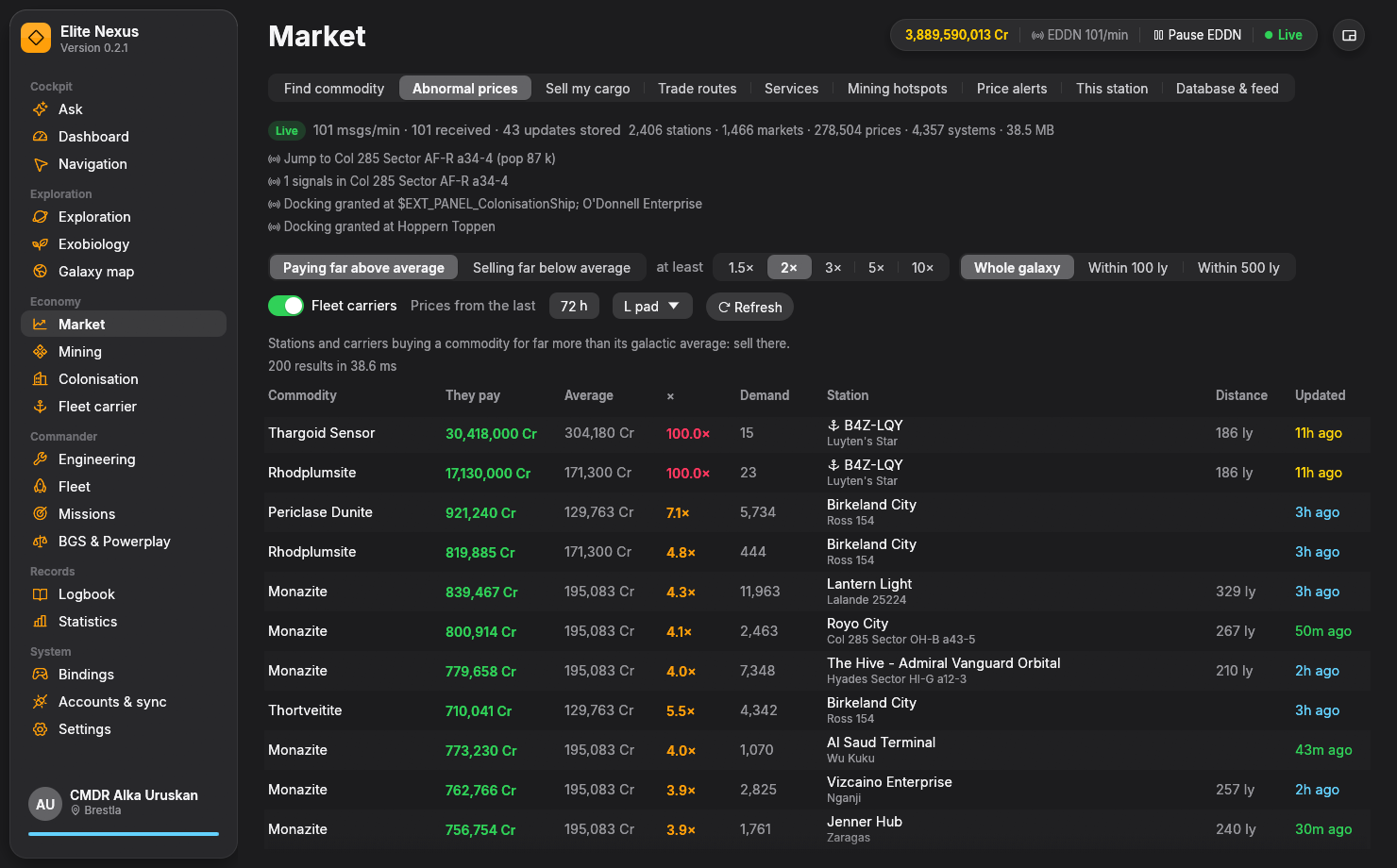
A local market database fed live by EDDN: commodity pages, sell my cargo, a shopping trip for several goods, trade routes, abnormal prices, pins and a run planner, price alerts, the nearest services.
05Exploration & navigation
Every body’s value now and if mapped, Road to Riches tours, neutron, exact and fleet-carrier routes, the next system on your clipboard, and your galaxy map.
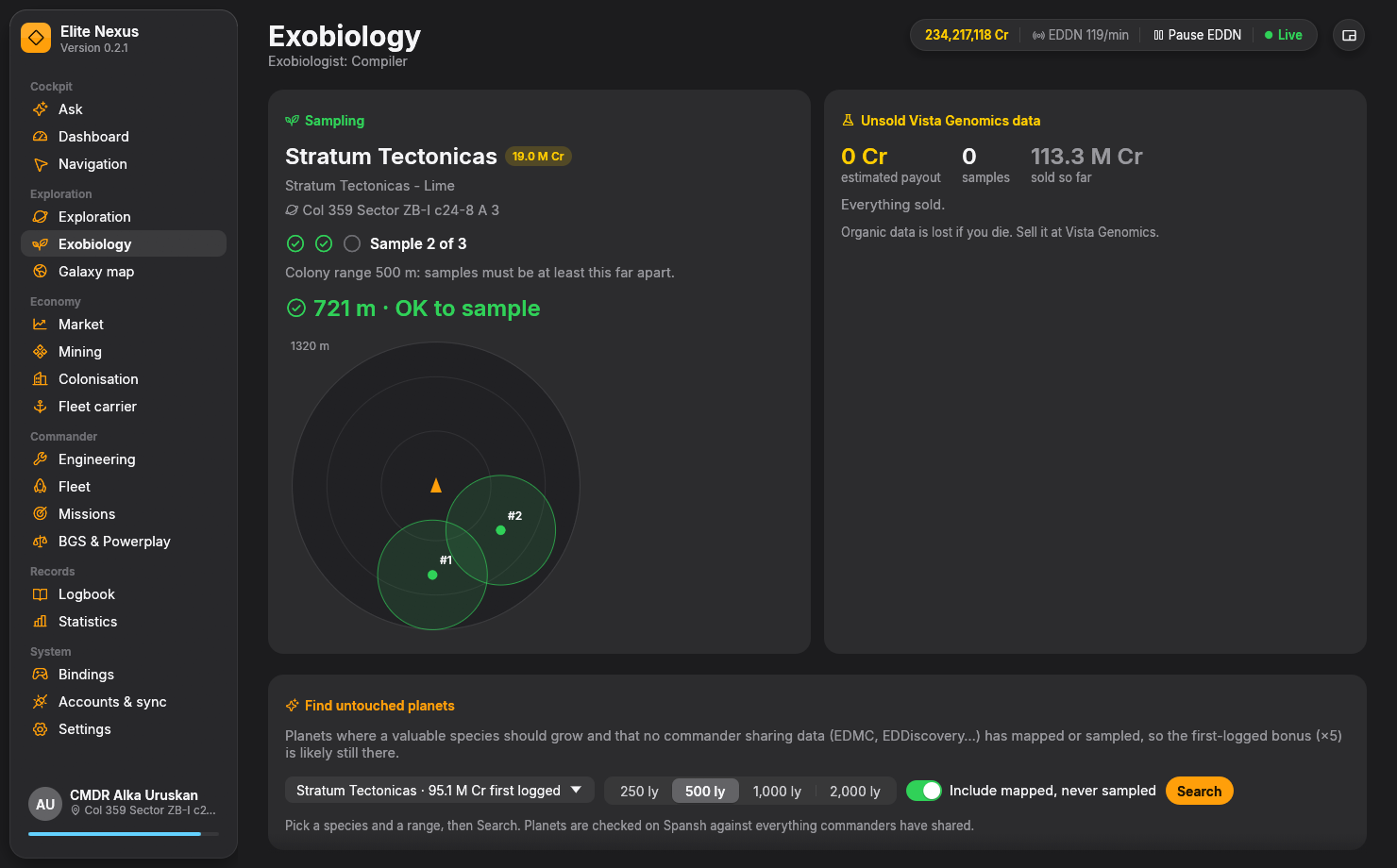
06Exobiology
A live sampling radar, species predictions before you land, a first-logged bonus hunt and known-species tours, and your unsold Vista Genomics value.
07Fleet & engineering
Dashboard and overlay, engineering wishlist and shopping list, ships and where to buy a ship, a module or a whole build, carriers with a live jump timer, missions, the nearest wars to fight in, BGS, logbook, statistics and bindings.
08AI, voice & your data
An AI co-pilot grounded in your ship and journal, spoken alerts, opt-in community sync, and settings that are never silently reset.
Screenshots
A closer look.
Click any screenshot to open it at full size.
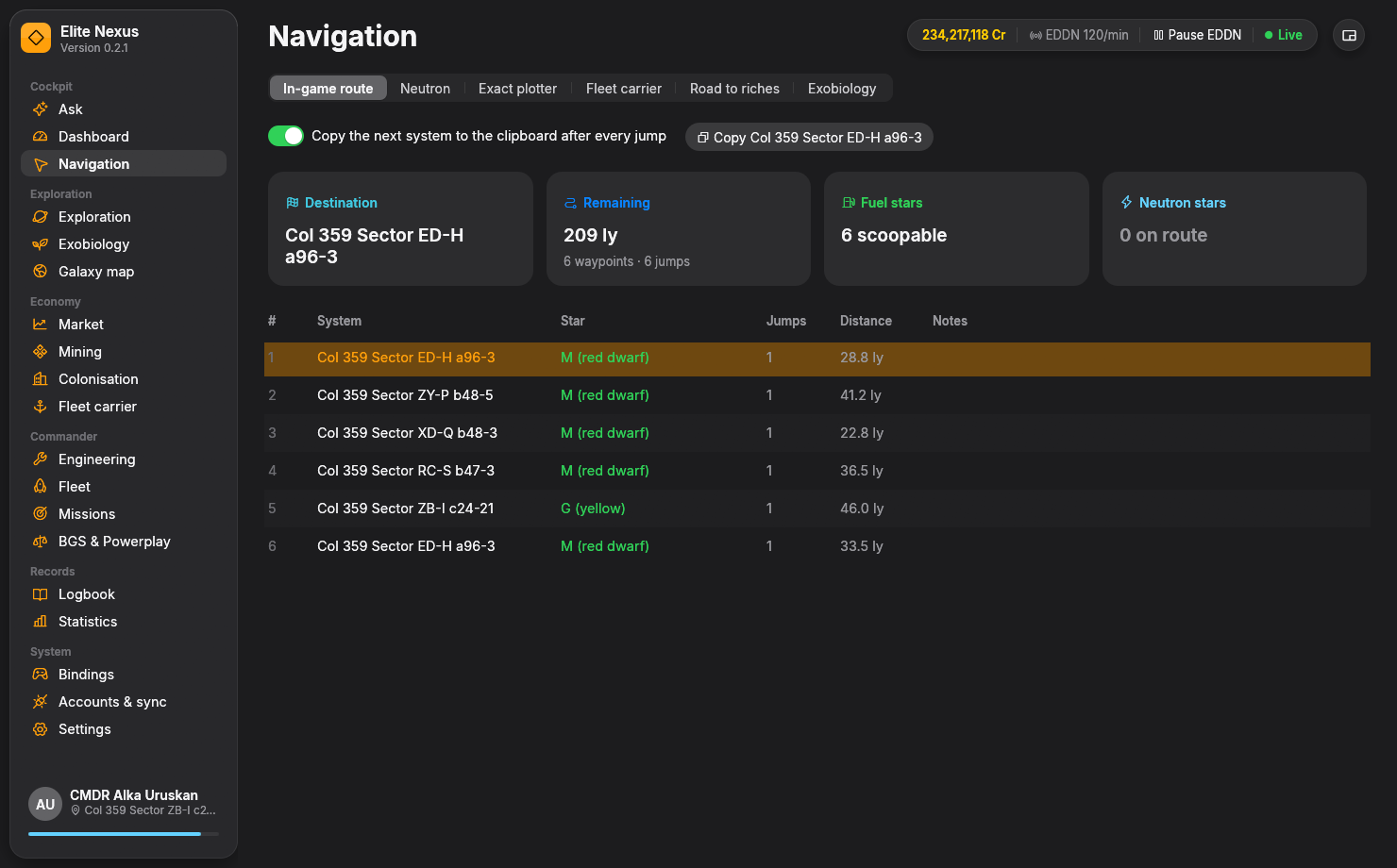
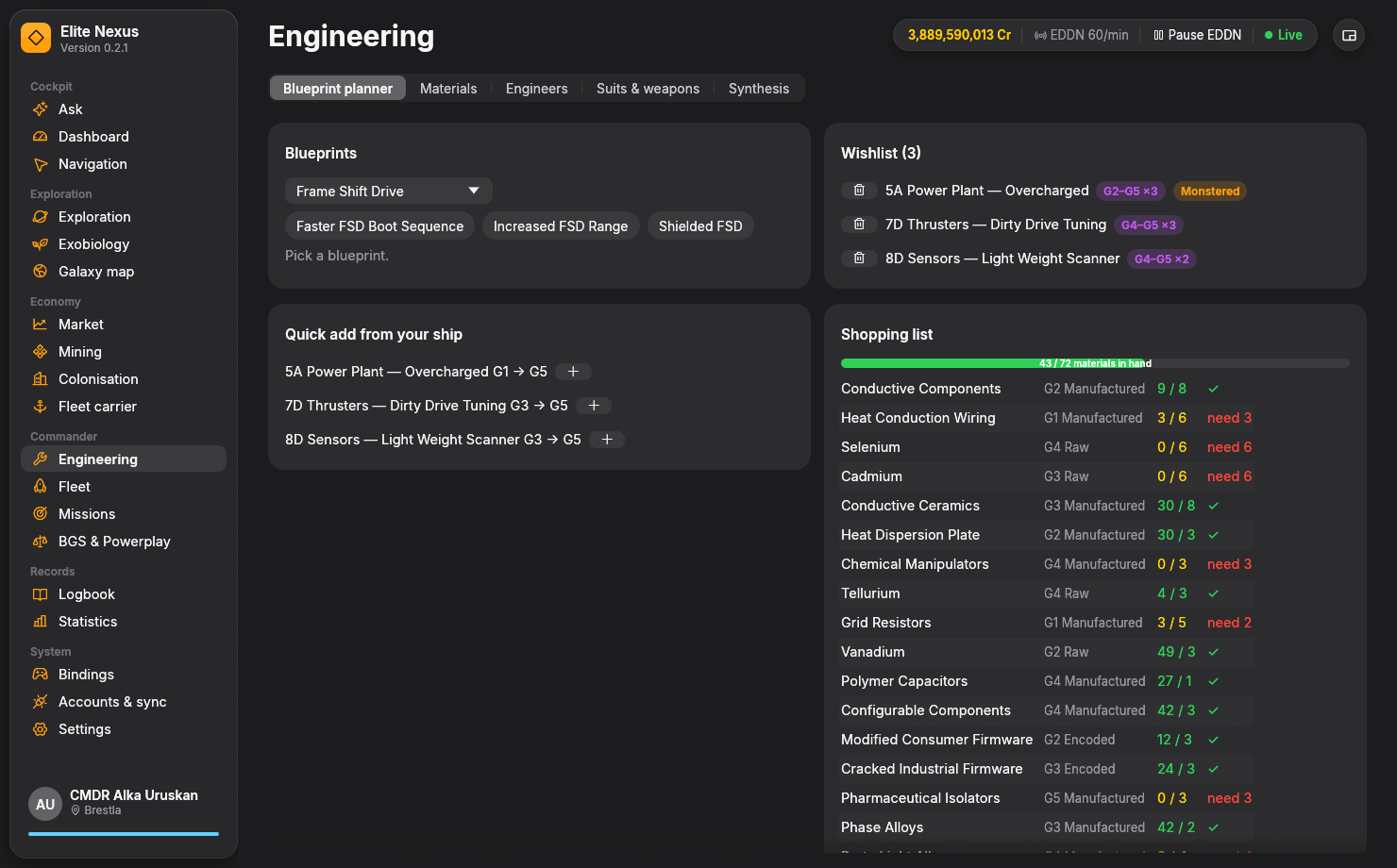
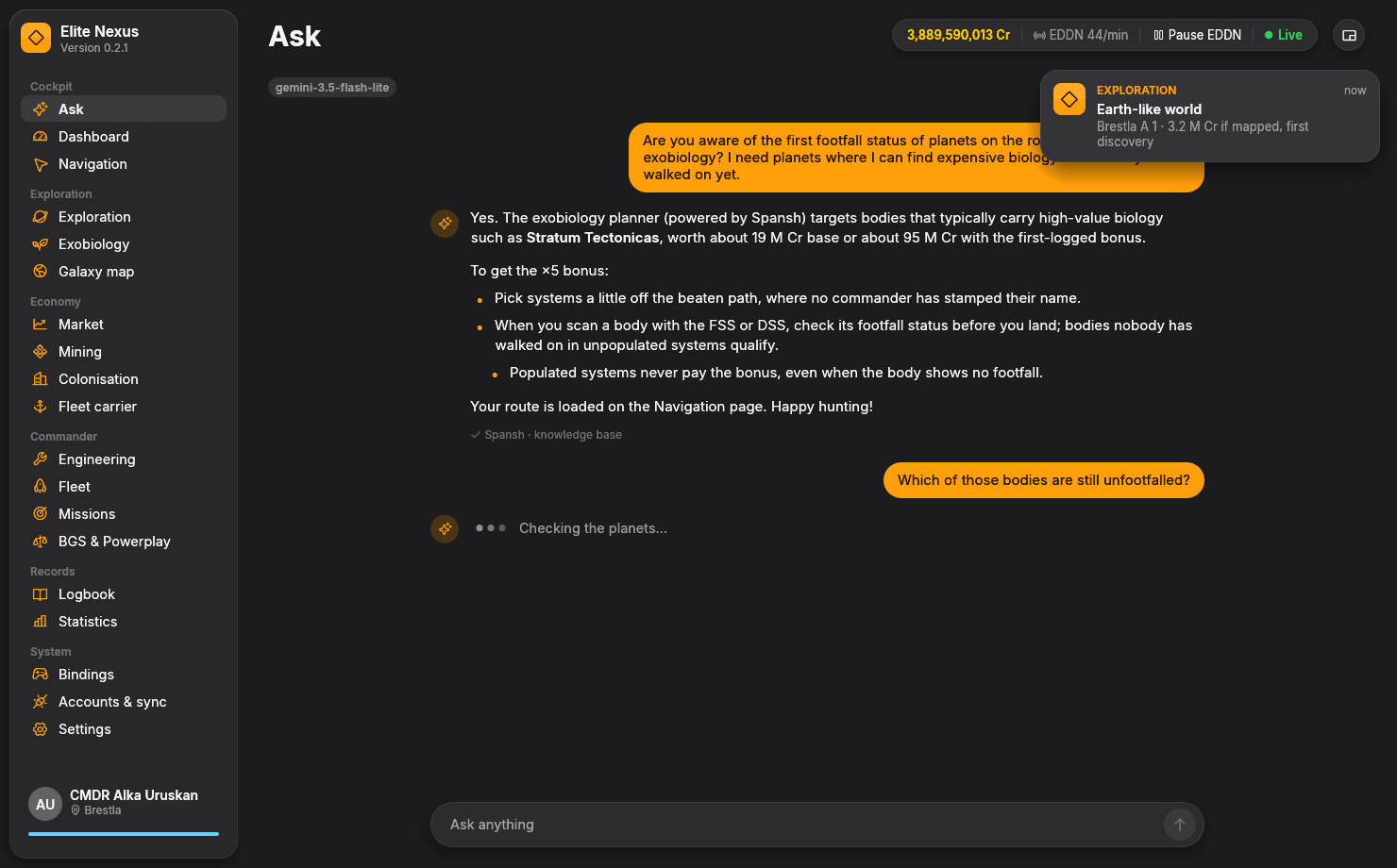
Made to keep up.
One executable, written in Rust with a GPU-rendered interface. It starts in about a second, loads years of journal history in well under one, and keeps a local market database, so your ship, journal and session stay close at hand while you play.
Windows, Linux and Mac.
One download each. On Linux and macOS the game runs under Proton, Wine, CrossOver, Whisky or NotProton, and Elite Nexus finds its journals in that prefix by itself. Game settings change only when you click, with your original file kept.
Free software, no strings.
GPL-3.0, no ads, no subscription, no Elite Nexus account. Read the code, report a bug or an idea, or send a change on GitHub.
From the launch threads and the weeks after
What commanders are saying.
Comments from the Frontier Forums, GitHub and Reddit in the first weeks after launch, October 2026. Their own words; “…” marks where one was shortened. Names are left out: they wrote on a forum, not for an advert.
I have been using it a lot today working through the various sections, the engineering section is excellent as is the colonisation section and also the carrier route planning. …
This app does most of what I need from EDDiscovery in a fraction of memory usage.
Keep going.
This is now my goto Elite companion.
It does everything I want and more, in fact I am still exploring the app. …
Thank you for using your skills to better the Elite community.
Everything else is working really well for me here, not launched any other 3rd party apps since 0.6.0 dropped.
It ran without any problems, and immediately detected my Elite Dangerous installation. …
… the Exploration and Exobiology sections of the application worked perfectly.
I just started the game 10 days ago and tried different companion tool for exploration.
I love EliteNexus, handsome work you did there.
I earned my FC this way hauling composites during the early days of colonization.
That abnormal price filtering is a great idea.
used the app for exploration around the community goal today. works great so far, thanks for making it!
The commanders behind the fixes: contributors, sponsors and reports
Get started
Ready for launch.
One download for Windows, Linux or a Mac with Apple Silicon. No installer, no account, no ads.
Elite Nexus is made by one commander, with no company behind it. Every feature started with someone asking: the carrier jump timer came from a forum post, the colonisation fix from a bug report. If it has saved you an evening of alt-tabbing, found you a payday or kept hostile contacts red in your favourite HUD, sponsoring buys time to build what you ask for next. Nothing in the app depends on it. o7
Download
Get the latest release: a ZIP for Windows, a tar.gz for Linux or a ZIP with the Mac app (Apple Silicon; an Intel Mac builds it from the source). The release notes say what changed.
Unpack and run
Windows: unzip anywhere and run EliteNexus.exe. Linux: unpack and run ./EliteNexus. Mac: drag Elite Nexus.app to Applications and, the first time, allow it under System Settings › Privacy & Security › Open Anyway, as it isn’t notarized.
Fly
Elite Nexus finds the game’s journal folder by itself and loads your commander, before or after you start the game. Community sync, the AI co-pilot and the cockpit tools are optional and wait until you set them up. When a new version is out, it tells you, and on Windows and Linux it updates itself with a click, keeping your settings and data.
Before you launch
A few useful answers.
Is Elite Nexus free?
Yes. Elite Nexus is free software under GPL-3.0, with no ads, no subscription and no Elite Nexus account. The optional AI co-pilot uses a provider you set up: cloud providers may have their own limits or charges, and a model on your own PC costs nothing. If it helps you, you can sponsor it on GitHub; nothing in the app depends on it.
Do I need AI to use the app?
No. Every page has its own interface; Ask is one more way to ask questions and use the app’s tools. Online features such as the Spansh planners and the live market feed need their services, not an AI provider.
Which platforms and game versions work?
64-bit Windows 10 and 11, 64-bit Linux and macOS, reading the journal files the PC game writes. On Linux the game runs under Proton or Wine, and Elite Nexus finds its journals in Steam’s Proton prefix, Lutris and Heroic, or in a folder you set; a commander has confirmed the Linux build with the game under Proton (Nobara Linux on Wayland), while HUD colours and Cockpit lights haven’t been confirmed there yet. On a Mac the game runs under NotProton, CrossOver or Whisky; the download is for Apple Silicon, an Intel Mac builds the app from the source, and Cockpit lights is untested there. Horizons and Odyssey are supported; exobiology and on-foot equipment need Odyssey. There is no console build, and the Frontier Companion API isn’t supported yet.
What changes in my game?
Your journals are only read. HUD colours and Glare and exposure write the values you change into the game’s GraphicsConfigurationOverride.xml, only when you click Apply, and keep your original file. Cockpit lights and keeping hostile red use an optional graphics hook placed next to the game, installed and removed in one click with a manifest of what was added; none of the game’s own files is changed. Your bindings are never changed.
Can I keep using my other tools?
Yes. Elite Nexus reads the journal like they do. Community sync is opt-in here, so check which app uploads to EDDN, EDSM or Inara for you and keep it to one. Ship builds open in EDSY and Coriolis with one click. The optional graphics hook can’t run alongside EDHM or another 3Dmigoto mod. How Elite Nexus compares with EDDiscovery, EDMC, Observatory and the rest.
What if something goes wrong?
A settings file that can’t be read is kept under a dated name, every setting that still reads is kept, and a banner says so: nothing is reset silently. If the app ever closes unexpectedly, it writes crash.log in its data folder and says so at the next start. Neither it nor nexus.log is sent anywhere; attaching them to a GitHub issue or a Frontier Forums post helps fix the problem.