 uruskan
DevblogElite Nexus
Why a blue HUD turns hostiles blue
Elite Dangerous recolours its whole interface with one 3×3 matrix. How that matrix works, why friend and foe change colour with everything else, and what Elite Nexus does about it.
- Elite Dangerous
- Graphics
- Colour
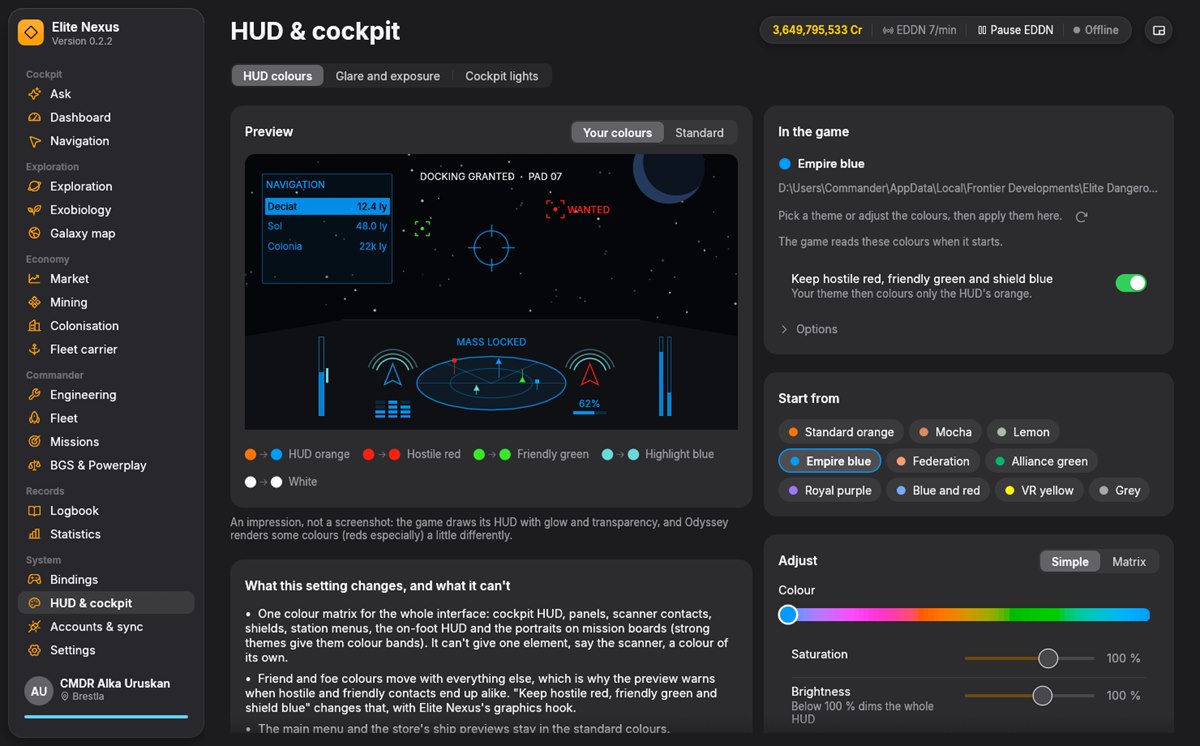
Elite Dangerous lets you change the colour of its HUD, but there is no colour picker in the game. The setting lives in
a text file, GraphicsConfigurationOverride.xml, under
%LOCALAPPDATA%\Frontier Developments\Elite Dangerous\Options\Graphics, and the game reads it only when it
starts.
<GraphicsConfig>
  <GUIColour>
    <Default>
      <LocalisationName>Standard</LocalisationName>
      <MatrixRed>   1, 0, 0 </MatrixRed>
      <MatrixGreen> 0, 1, 0 </MatrixGreen>
      <MatrixBlue>  0, 0, 1 </MatrixBlue>
    </Default>
  </GUIColour>
</GraphicsConfig>
One matrix for everything
The three lines are a colour matrix. Each row belongs to one input channel and says where that channel goes:
out = r · MatrixRed + g · MatrixGreen + b · MatrixBlueThe identity above leaves every colour alone. Swap the red and blue rows (0, 0, 1 and
1, 0, 0) and the HUD's orange, roughly (1, 0.46, 0), comes out as (0, 0.46, 1): a clean
azure. That's how most blue themes start.
Values can be negative or above 1; community themes use anything from −3 to 3.5. White comes out as the sum of the three rows, so a column that adds up to more than 1 clips toward white.
Why friend and foe move too
The matrix doesn't know what it is colouring. It is applied to the whole 2D interface in one go: the HUD, the panels, station menus, the on-foot HUD, comms portraits, the glow the HUD casts on the cockpit, and the scanner contacts.
So the same swap that turns orange into azure turns a hostile contact's pure red (1, 0, 0) into pure blue
(0, 0, 1), the colour shields already use. Friendly green stays green here, but other themes move it
too. It's the most common complaint about custom HUDs, and it's not a bug in any theme: there is simply no separate row
for "hostile".
What Elite Nexus does about it
- A live cockpit preview runs the same matrix and warns when hostile and friendly contacts would look alike, before you launch the game.
- Only the colour lines change. Applying a theme writes the three matrix lines and keeps your original file.
- Keep hostile red, friendly green and shield blue. An optional graphics hook (3Dmigoto, open source) adjusts the HUD shaders as the game loads them, so your theme colours only the HUD's orange. It's opt-in, and Frontier tolerates mods like this without having approved them.
The maths here matches the community's own tools and notes: Arkku's HUD editor, EDHM-UI, COVAS:NEXT and the Frontier forums' long-running theme lists. Thanks to everyone who worked it out first.